Every email you receive carries a hidden technical record, a block of structured metadata prepended by every server that touched the message in transit. Learning how to read email headers is the difference between guessing why a message bounced and knowing exactly which hop broke the chain. Most tutorials stop at "open Show Original in Gmail." This guide goes further: a field-by-field dissection of raw email headers, written for practitioners who need to act on what they find.
RFC 5321 and RFC 5322, the SMTP and Internet Message Format standards, define the authoritative rules for header field syntax, the Received trace field structure, and the envelope-vs-header address distinction that underpins every modern email header analysis. Everything discussed here traces back to those documents.
What Raw Email Headers Actually Are (And Why Screenshots Miss the Point)
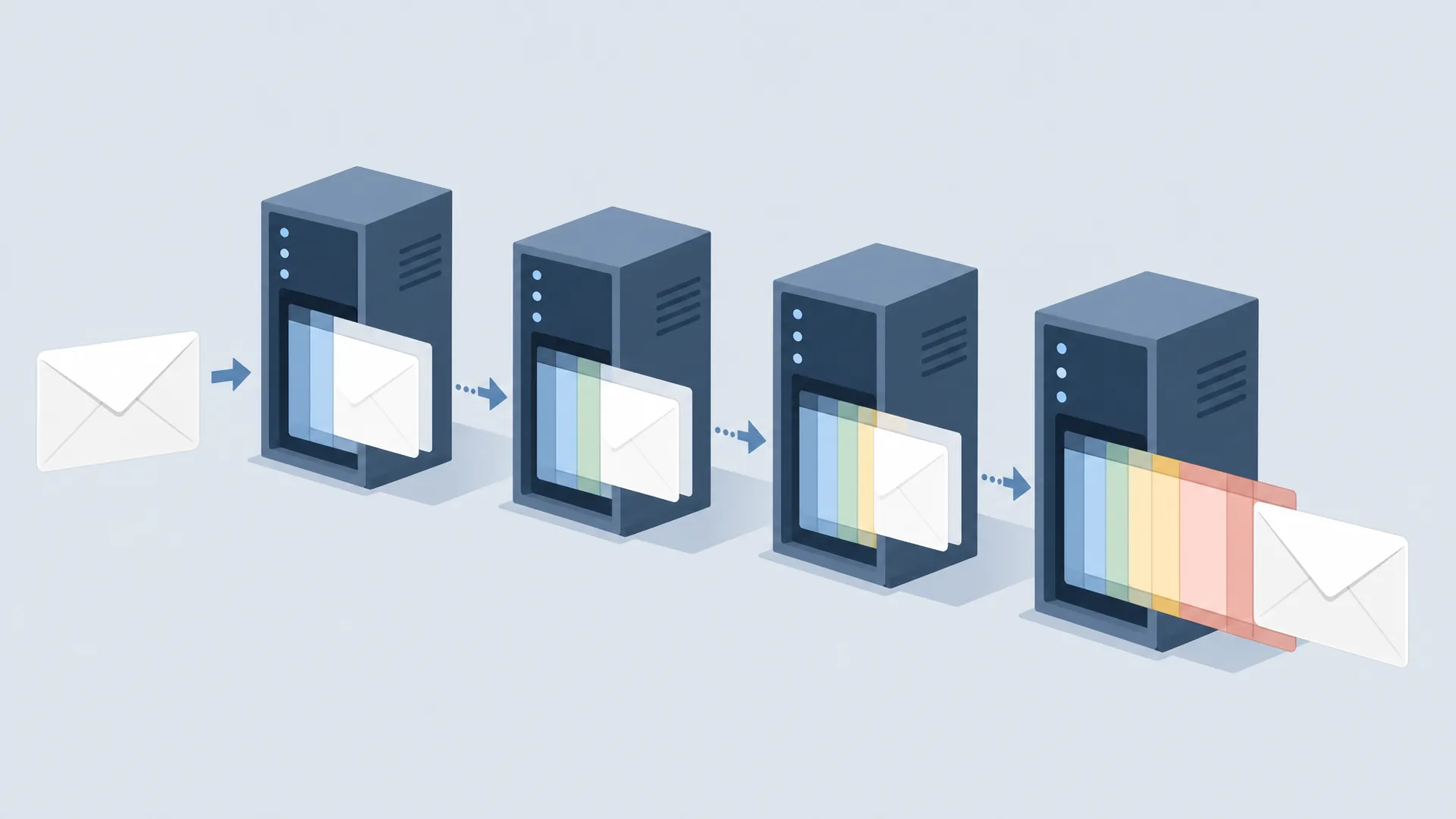
Raw email headers are not a GUI feature. They are structured text fields prepended to every message by each handling agent, your MTA, every relay in between, and the recipient's mail server. Each agent adds its own fields; none of them remove what's already there. The result is a cumulative, ordered record of the message's entire handling history.
A screenshot of Gmail's "Show Original" panel shows you the text. It doesn't explain what any of it means. When a message gets flagged as spam, rejected at the boundary, or loses its DKIM signature mid-relay, the answer is in the fields, not in the rendering. The raw header block is where the forensic work happens.
Reading the Received Header Chain: Tracing the SMTP Delivery Path
The Received header is the SMTP trace record. Every time an MTA accepts a message, it stamps a new Received field at the top of the header block. The field describes the handoff: who handed the message over, who accepted it, and when.
A single email forwarded through three relay hops will carry three Received headers. Reading them bottom-to-top traces the message from its injection point at the originating MTA to the final delivery hop, each stamp added by the receiving server, not the sending one, which is why the chain is tamper-evident from the top down.
How to Read a Single Received Header Field
A fully annotated Received field looks like this:
Received: from mail.sender.example (mail.sender.example [203.0.113.42])
          by mx.recipient.example (Postfix) with ESMTPS id A1B2C3D4E5
          for <user@recipient.example>;
          Fri, 4 Jul 2026 09:12:33 +0000 (UTC)
Each clause has a specific meaning:
The from clause is the one to treat with skepticism. The sending server declares its own hostname, any MTA can claim to be anything. The bracketed IP, however, is recorded by the receiving server based on the actual TCP connection, making it far harder to forge without access to the receiving MTA's logs.
Reconstructing the Full Delivery Path in Order
The header block is prepended top-down, so the most recent Received field sits at the top and the oldest at the bottom. To reconstruct the delivery path in chronological order:
- Find the bottom-most
Receivedfield, that's the originating injection hop. - Work upward, hop by hop, to the top.
- At each hop, confirm the
byvalue of the lower field matches thefromvalue of the field above it. A mismatch means either a gap in the chain or an injected hop.
A sudden timestamp reversal, where an upper hop has an earlier timestamp than a lower one, is a strong indicator of a forged Received field inserted above the legitimate chain. Legitimate latency increases monotonically (with minor clock-skew tolerance); it doesn't go backwards.
Authentication Header Results: SPF, DKIM, DMARC, and ARC at a Glance
The Authentication-Results header is the receiving MTA's verdict block. It is written by the receiving MTA, that server's assertion about what it verified, not a self-declaration by the sender. Treating it as ground truth requires trusting the receiving MTA, which is why checking which server added it is part of sound forensic practice. This behavior is defined in RFC 8601.
How to Interpret Authentication-Results and DKIM-Signature Fields
A typical Authentication-Results block:
Authentication-Results: mx.recipient.example;
  spf=pass (mx.recipient.example: domain of sender@mail.example.com
    designates 203.0.113.42 as permitted sender)
    smtp.mailfrom=sender@mail.example.com;
  dkim=pass header.i=@mail.example.com header.s=2026q2 header.b=Ab12Cd34;
  dmarc=pass (p=reject) header.from=example.com;
  arc=pass (i=1 spf=pass dkim=pass dmarc=pass)
SPF, pass means the sending IP is listed in the domain's SPF record. softfail (~all) means the domain says it probably shouldn't send from this IP but isn't enforcing. fail (-all) is a hard policy failure. neutral means the domain published no opinion.
DKIM, header.s is the selector used to look up the public key in DNS. header.i is the signing identity (the i= tag in the DKIM-Signature field, usually the domain). A dkim=pass means the cryptographic signature over the specified headers and body verified against the public key. It says nothing about the From address unless DMARC is also checked.
DMARC, This is where alignment matters. DMARC checks that the domain in the header From aligns with either the SPF-authenticated domain or the DKIM signing domain. A dkim=pass with dmarc=fail means the DKIM signature is valid but the signing domain doesn't align with the header From, common in forwarding scenarios and a critical distinction in deliverability forensics.
ARC (Authenticated Received Chain), ARC stamps preserve the original authentication state across forwarding hops where SPF would otherwise break. Each ARC set (i=1, i=2, etc.) records the state at that hop. A receiving MTA that trusts an ARC chain can deliver a forwarded message that would otherwise fail SPF.
How to Parse Email Headers Efficiently: Tools, Workflow, and Troubleshooting Playbooks
Choosing an Email Header Analysis Tool
Three categories of tools cover most practitioner needs:
Online header analyzers, MXToolbox Header Analyzer, Google Admin Toolbox (toolbox.googleapps.com/apps/messageheader), and Mail Header Analyzer tools parse raw header blocks and render the Received chain as a timeline with latency deltas, authentication verdicts, and hop-by-hop summaries. Fast for one-off analysis. Not suitable for bulk processing or sensitive message content.
Scripted parsing, Python's email standard library parses RFC 5322 messages natively. For DKIM-Signature field inspection, the dkimpy library handles selector lookup and signature verification. Scripted parsing is the right approach for automated log correlation, bulk forensic review, or building custom dashboards.
MTA log correlation, The id clause in each Received field is the receiving MTA's queue ID. Cross-referencing that ID against the MTA's own logs (Postfix, Exim, Sendmail) gives you the full delivery record: TLS negotiation details, recipient verification results, and any deferral or rejection events that don't appear in the header block.
A Systematic Troubleshooting Workflow for Delivery Failures
Follow this sequence every time you diagnose a delivery failure from the raw header block:
-
Start at the bottom
Receivedhop. Identify the injection point: the originating MTA's IP and claimed hostname. Does the IP match the domain's SPF record? Does the PTR resolve to the claimed hostname? -
Walk the chain upward. At each hop, check that
byfrom the previous field matchesfromin the current one. Note any timestamp anomalies or unexplained gaps in the relay path. -
Read the
Authentication-Resultsblock. Identify the authserv-id (the server that wrote the block). Check SPF, DKIM, and DMARC verdicts in order. Note the DKIM selector and signing domain, does the domain align with the header From for DMARC purposes? -
Check the
Message-IDdomain against the envelope From domain and the bottomReceivedIP. A mismatch here often points to a third-party ESP or a misconfigured sending platform. -
Examine
X-headers from filtering platforms. A high spam score or a policy rule match explains a junk-folder placement without a hard rejection. These fields name the specific rule or score threshold, use them to target the fix. -
Isolate the failing boundary MTA. The hop where a timestamp gap, authentication failure, or rejection code appears is your diagnosis target. Correlate its queue ID against MTA logs to get the full error.
Work through these six checks in order and you'll catch the overwhelming majority of delivery failures — most cases resolve at step 1 or 3, before you even need the MTA logs.
For practitioners who need the complete reference, covering MIME structure, SMTP response codes, deliverability architecture, and advanced header forensics in a single structured volume, Email Decoded provides the systematic treatment that scattered RFC documents and shallow screenshot tutorials don't. The companion wiki extends that reference with live specimens and worked examples, built for the engineer who reads headers the way other people read documentation: with a purpose.
Editorial notes (not part of the published article)
Fact-check: All RFC attributions verified — RFC 5321/5322 (SMTP/message format), RFC 8601 (Authentication-Results). SPF/DKIM/DMARC/ARC semantics accurate. No corrections needed beyond the two below.
Corrections applied:
- Google Admin Toolbox link updated from the outdated
messageheader.appspot.comto the currenttoolbox.googleapps.com/apps/messageheader. - Final troubleshooting-sequence sentence rewritten from a mechanical list-recap into a natural closing sentence with an added practical note (steps 1 and 3 resolve most cases).
Connection to the book: This article is a standalone/SEO adaptation of material that already exists in the book:
- The
Received:header structure (from/by/with/id/for clauses, bottom-to-top reading) mirrors the table in Chapter 5.4, "Group 3 — Delivery Headers." - The troubleshooting workflow mirrors the Chapter 11.11 "Complete Header Analysis Checklist."
- RFC attributions (5321, 5322, 8601) match the book's Quick Reference and Glossary entries exactly.